Skip to content

Server room and data centre monitoring

Data centre and server room monitoring for temperature, humidity, mains power, underfloor water and UPS or cooling alarms, with dashboard alerts by SMS or email and escalation.

Sensors, a gateway and the alerting platform are fitted as one system without touching the IT estate. The gateway connects over 4G or Wi-Fi, and on 4G nothing joins your network and no firewall rule is needed. Where an old GSM dialler is still in service, the system replaces it directly.

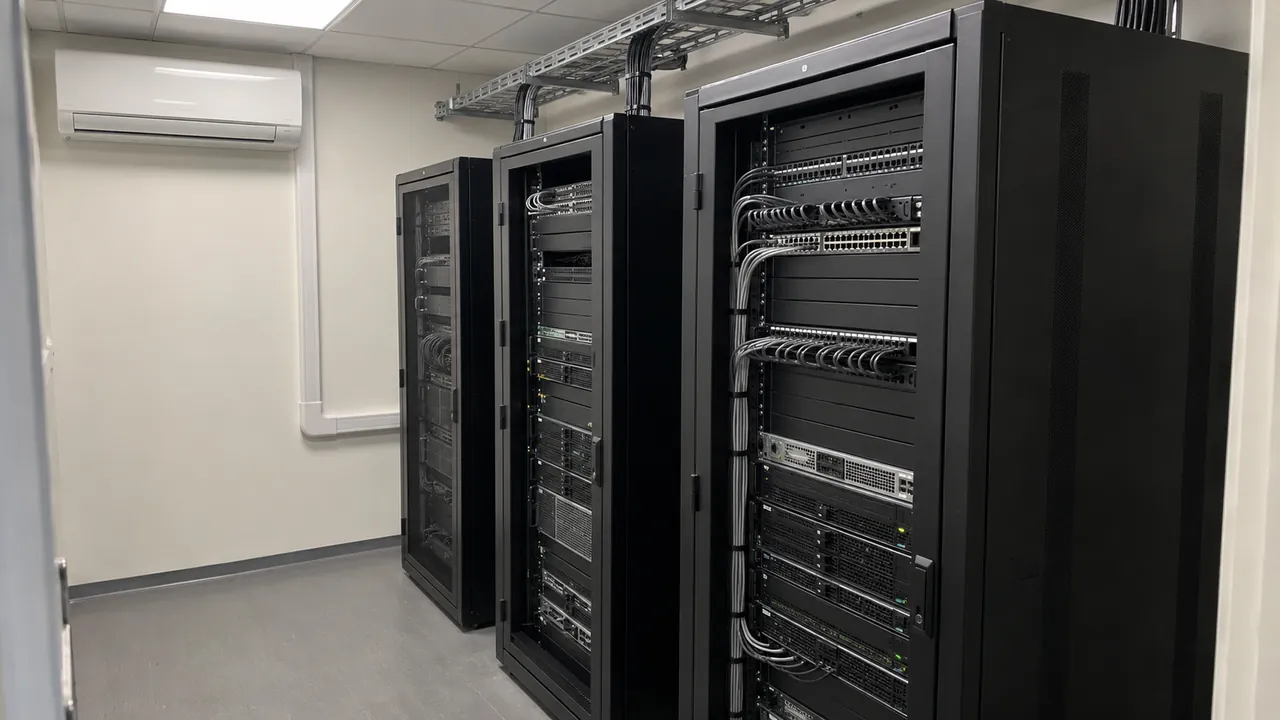
Illustrative photo of server racks in a small server room, the kind of space covered by data centre and server room monitoring

Server rooms, comms rooms and data halls

Data centre and server room monitoring for the few faults that take a room down.

Heat

Room and rack temperature, with alerts on a limit and on a fast rise when cooling fails.

Water

Leak tags beside cooling units and under raised floors, alerting the moment water arrives.

Power

Mains loss and restoration on the room supply, and UPS on battery from its own output.

Protective systems

Alarm outputs from air conditioning, UPS, generator and suppression panels, sent to named people.

The system covers the four ways a room goes down: heat, water, loss of mains, and a fault on the UPS, cooling or suppression that protects it. Further sensors join the same gateway as the room changes.

Overheating is the most common. An air conditioning unit trips or a filter blocks, and the room climbs a degree every few minutes. A temperature tag in the room, and another at the hot side of a rack, reports the climb as it happens and alerts on a limit or on a rate of rise.

Water is the most expensive. A condensate drain backs up or a pipe above the room weeps, and the first sign is often equipment failing. A water leak tag on the floor beside the cooling units, or under a raised floor, reports the moment water bridges its pins.

Power loss is the quietest. The UPS takes the load and the room carries on, while its batteries run down. A power failure tag on the supply to the room reports the loss and the restoration, and a contact tag on the UPS reports when it goes on battery.

The protective systems need watching too. Air conditioning, UPS, generator and gas suppression panels all have alarm outputs, often wired to a local sounder or an old GSM dialler. Each output can be read by a tag and sent as an alert. Suppression and fire panel outputs are supplementary alerts; the panel's own certified signalling stays as it is.

None of this touches the IT network. The tags are battery-powered and transmit over 433 MHz to a ZARC Gateway on site, which has its own 4G link and battery backup. Every tag checks in on a schedule, so a tag that stops reporting raises its own alert.

The dashboard sends alerts by SMS or email, and through an app where required, to named people, with escalation and separate routes in and out of hours. Every event is kept with its time, so the record of what happened, who was told and when it cleared is there for incident reviews and audits.

01

Temperature and humidity

See the room warm up before the equipment does.

Tags in the room and at the hot side of racks report temperature and humidity continuously, with alerts on high and low limits and on a rate of rise that points to a cooling failure.

02

Mains power and UPS

Know when the room is running on batteries.

A power tag on the room supply reports loss and restoration; a contact tag on the UPS reports on-battery and fault states, so the team knows how long it has.

03

Cooling and suppression alarms

Hear the systems that protect the room.

Air conditioning faults, gas suppression panel states and generator alarms are read from their volt-free outputs and sent as alerts. Suppression and fire outputs are supplementary to the panel's own signalling.

04

Water

Find a leak while it is still on the floor.

Leak tags under raised floors, beside cooling units and below pipework alert on water arriving and again when it clears, with the duration recorded.

05

Off the IT network

No firewall change, no port to open.

The tags transmit over 433 MHz to a ZARC Gateway with its own 4G link and battery backup. Nothing joins the network the room serves.

06

Records

A timeline for every incident.

Every alarm, alert, acknowledgement and clear is kept with its time and exports for incident reviews, insurers and audits, held in the cloud or on your own servers.

Deployment approach

Start with the room that worries you most.

Most sites begin with one room and add the rest once the alerts have proved themselves.

We list what can go wrong in each room and what already raises an alarm, place tags for temperature, humidity, power, water and each equipment output, and set the limits and alert routes. One gateway covers the site, and every tag is tested end to end before handover.

Scope

List each room, what it holds, what can fail and what currently raises an alarm.

Room by room

Survey

Confirm tag positions, gateway placement and 433 MHz coverage through walls, floors and steel racks.

Coverage

Configure

Set temperature and humidity limits, rate-of-rise alerts and the alert and escalation routes for each room.

Limits and routes

Commission

Trigger every input, warm a sensor, wet a leak tag and confirm each alert reaches every recipient.

Tested end to end

Extend

Add rooms and sites onto the same dashboard; further tags join the gateway already on site.

Room to estate

Tell us about the rooms, the cooling, power and suppression behind them, and who needs the alerts.

Talk to an engineer

Applications

Where server room monitoring is used.

Server rooms in offices and schools

Small comms rooms with one air conditioning unit and a UPS, often with no one on site.

Comms rooms and equipment closets

Rooms often watched by an old GSM dialler, now moving to a dashboard with SMS and email alerts and a proper record.

Data halls and colocation suites

An independent layer of temperature, humidity and leak readings alongside the building's own systems.

Edge and remote IT rooms

Rooms on sites with nobody on hand, where a fault has to reach someone off site in real time.

Rooms with gas suppression

Suppression panel states and room conditions on the same dashboard, as supplementary alerts.

Multi-site IT estates

Every room on every site on one dashboard, grouped by site, each with its own limits and alert routes.

Related pages

FAQ

Frequently asked questions

What should a server room monitoring system watch?

Room temperature and humidity, mains power to the room, water under a raised floor or near cooling units, and the alarm outputs of the UPS, air conditioning and any gas suppression system. Those cover the faults that take a room down most often.

Can it replace the GSM dialler on our comms room?

Yes, for room and equipment alarms. The tags read the outputs the dialler was wired to, and the dashboard sends the alerts by SMS or email with escalation. A fire or suppression panel output can be added as a supplementary alert; it is not a certified alarm signalling path.

Does it connect to our network or BMS?

No. The tags report over 433 MHz radio to a ZARC Gateway with its own 4G link, so nothing joins your IT network and no firewall change is needed. It sits alongside a BMS or DCIM rather than inside it.

What happens when the room loses power?

The tags run on their own batteries and the gateway carries an internal backup battery, so the alert about the outage still goes out. The gateway also raises an alert of its own when it loses mains power.

Who receives the alerts?

The people you name for each room: IT, facilities, the on-call engineer or a contractor. Alerts are raised on the dashboard and sent by SMS, email or both, with separate routes in and out of hours and escalation to further contacts.

Do extra rooms, users or alerts cost more?

There are no per-alert, per-user or licence charges. The system is charged monthly per tag and per gateway, and one gateway covers a site.

Know the moment
the room changes.

Tell us about the rooms, what they hold, what currently raises an alarm and who needs to hear about it. We will say what to fit and where.

Location

Venator House, Unit 9, 15-17 St Stephen's Road, Bournemouth

Dorset, BH2 6LA · VAT GB 409644484

Server room monitoring enquiry

Tell us about the rooms, the cooling and power behind them, any existing dialler or alarm outputs, and who needs the alerts.

No mailing lists. No spam. We reply directly to your enquiry.